Instance Management
The Run Box instance list page lets you browse running instances, and the instance detail page lets you check status, monitor usage, view logs, configure external connections, and perform basic management tasks. This document describes the main features and information available on those pages.
Browsing Instances
The instance list page supports searching by instance name and filtering by instance type.
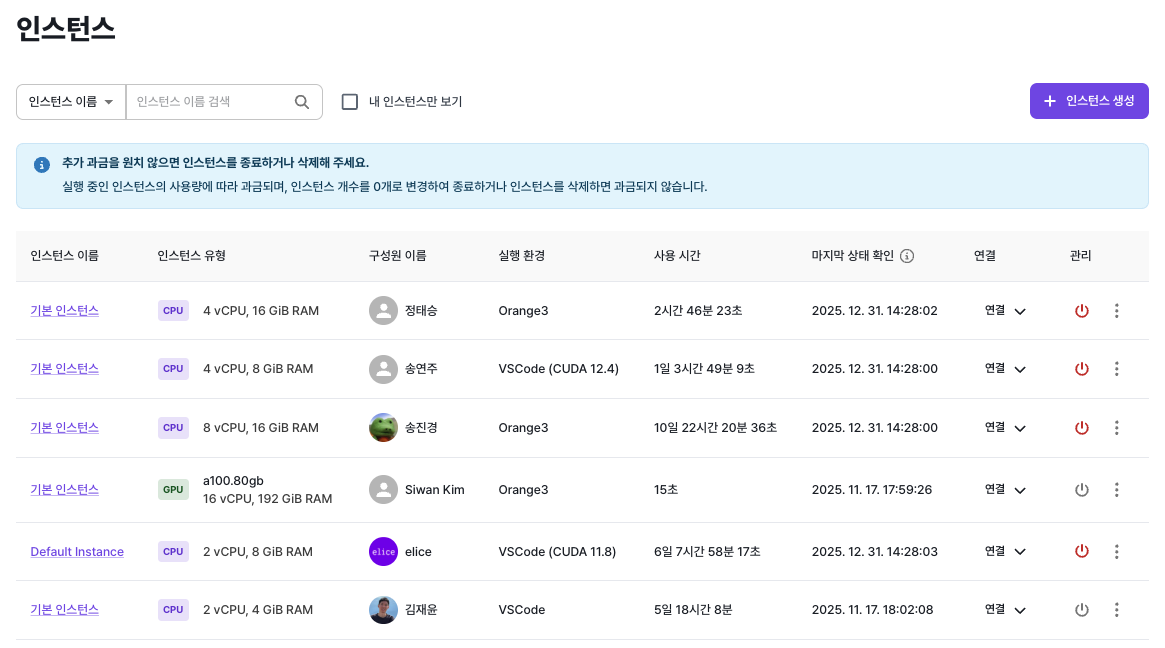
Instance Information
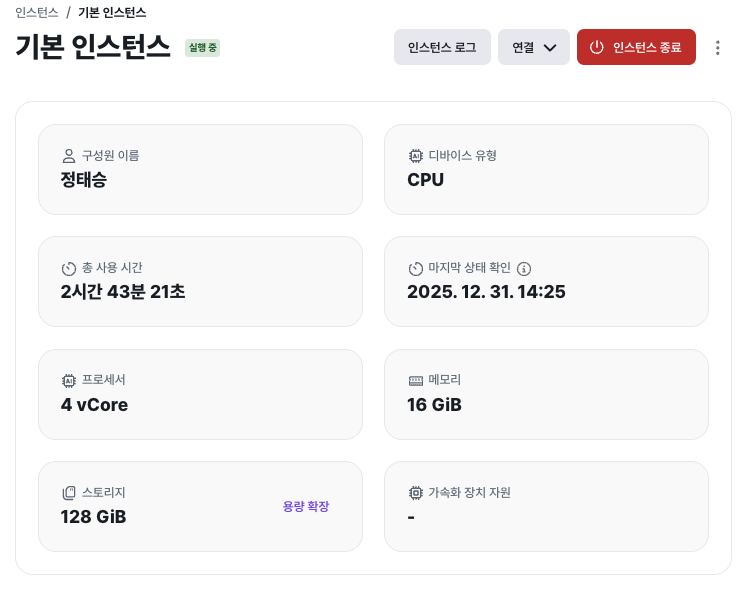
The instance detail page shows the following basic information:
- Device type (CPU/GPU)
- Processor (vCore) and memory (RAM)
- Storage capacity and expansion controls
- Total usage time
- Last status check time
- Accelerator support
This gives you an at-a-glance view of the instance's configuration and current state.
Basic Management
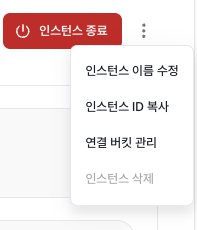
From the top menu and options you can perform these management tasks:
- Rename the instance: change the name to make it easier to identify.
- View the instance ID: useful for integrating with external systems.
- Manage connected buckets: review and manage Data Hub buckets connected to the instance.
- Delete the instance: delete an instance you no longer need. The instance must be stopped first.
Viewing Instance Logs
Click "Instance Logs" to see logs for internal services and runtime state on the instance. This is useful for debugging errors, troubleshooting, and checking operational status.
Monitoring Instance Usage
The "Instance Usage" tab shows real-time and historical resource usage.
Available metrics include:
- Processor utilization
- Memory utilization
- Storage utilization
- GPU utilization (where applicable)
You can pick from various time windows: 30 minutes, 1 hour, 4 hours, 24 hours, and so on.
Start/Stop History
The "Start/Stop History" tab shows:
- Start and stop status history
- Source IP information
- Start and stop timestamps
- The user who performed each action
This gives you a transparent record of how the instance has been used.
External Connection Settings
The "External Connections" tab lets you configure outside access to the instance.
- HTTP: use when accessing a web server running inside the instance (Nginx, Django, Node.js, etc.) via URL.
- TCP: use when you need to open a specific port directly for protocols like SSH or FTP.
For full configuration details, see the External Connections page.