Registering a Model
The model registration feature lets you upload AI models you've developed to the Elice AI Cloud Model Library and manage them. Registered models show their information on the detail page, support version management, and can be deployed through the ML API for use in real services.
Registering a Model

Click the Register Model button on the Model Library page to start the registration flow.
Enter Model Information
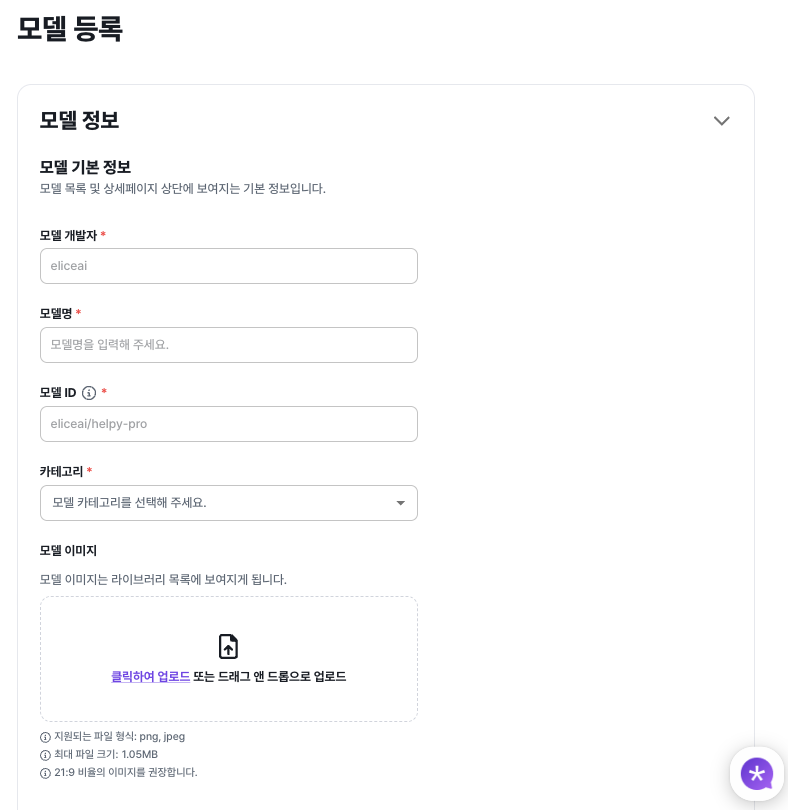
Enter the model developer, model name, model ID, category, model image, short description, and detailed description. The model ID is used as the API endpoint.
Choose an Upload Environment
When uploading a model you need to choose an execution environment. Elice AI Cloud provides BentoML-based runtimes; pick the option that matches your use case and hardware accelerator.
For details on the BentoML environment, see the BentoML page.
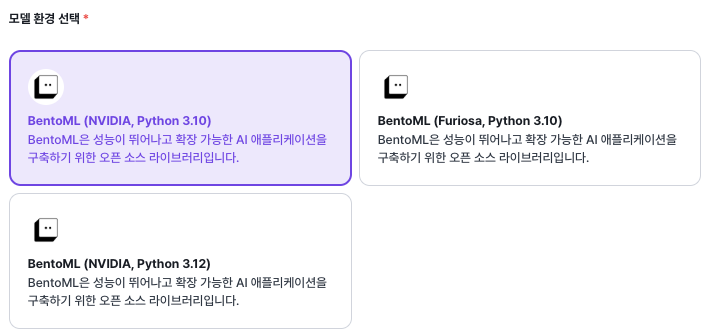
Upload Model Files
Upload the model files according to the environment you selected.

Managing the Model Detail Page
Once registration is complete, the model detail page offers the following features.
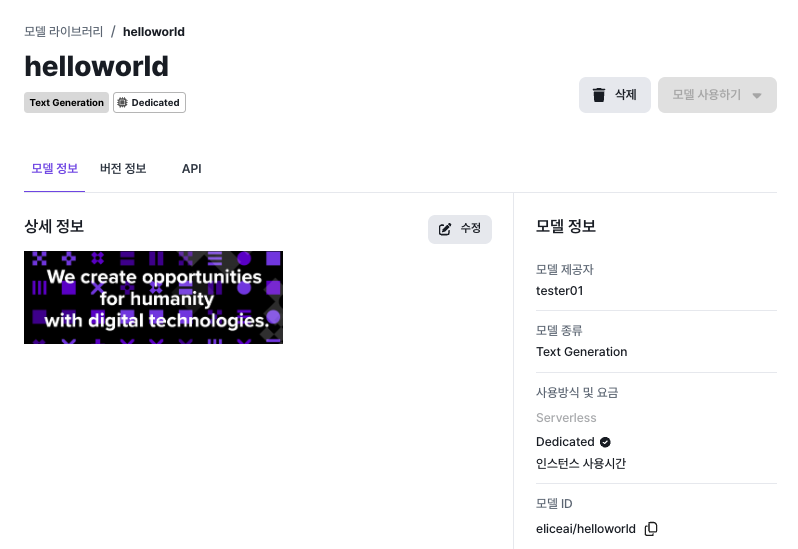
View and Edit Model Info
You can view and edit the details you entered during registration.
Version Management
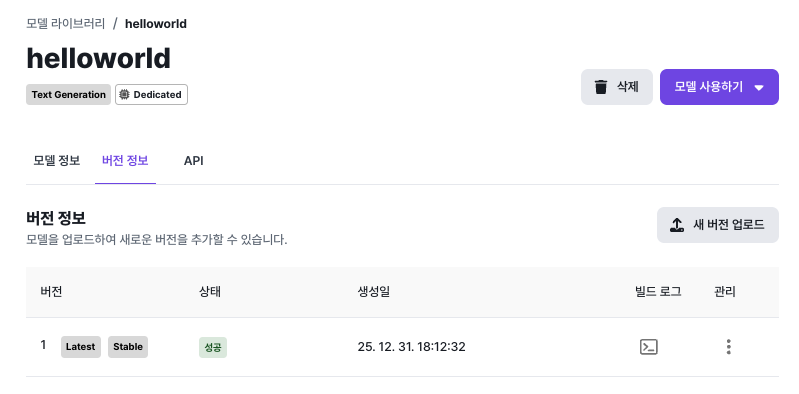
You can browse, update, and delete model versions, and you can include change notes when updating a version.
Supported version states:
- Latest: the most recent version.
- Stable: a stable version. You can change which version is marked stable from version settings.
Deploying a Model
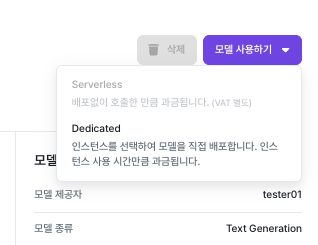
Click the "Use this model" button on the model detail page to deploy it as an API in your preferred mode. For details on each mode, see the Serverless and Dedicated pages.